pip
pip("Pip Installs Packages" または "Pip Installs Python")はPythonで書かれたパッケージソフトウェアをインストール・管理するためのパッケージ管理システムである。多くのPythonパッケージは、Python Package Index (PyPI) 上にある[1]。
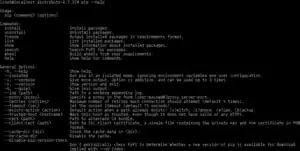 pip --helpの出力画面 | |
| 最新版 |
22.3.1
/ 2022年11月5日 |
|---|---|
| リポジトリ | |
| プログラミング 言語 | Python |
| 対応OS | クロスプラットフォーム |
| 種別 | パッケージ管理システム |
| 公式サイト |
www |
pipはPython 2.7.9以降、Python 3.4以降からデフォルトで付属するようになった[2]。
コマンドラインインターフェース
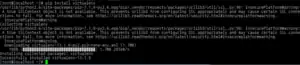
pip install virtualenvの出力画面pipを用いる主な利点は、コマンドラインインターフェースで簡単にPythonのパッケージソフトウェアをインストールできることである。次の一行でパッケージのインストールを行える。
pip install some-package-name
パッケージをアンインストールするときも同様に一行でできる。
pip uninstall some-package-name
pipで一番重要な機能は、ファイルに必要なパッケージのリストとそのバージョンを書いておけば簡単にパッケージ管理を行えるという点である[1]。この機能は他のコンピュータや仮想環境に同じPythonの環境を用意するときに非常に役に立つ。この機能を使うには、適切なフォーマットで必要なパッケージを「requirements.txt」ファイルに書き、次のコマンドを実行すればよい。
pip install -r requirements.txt
またpipはsdistをinstallできる(例: pip install git+https://github.com/...)。この際 setuptools(setup.py/setup.cfg)以外のビルドシステムをpyproject.toml(PEP 518)に指定できる[3]。
脚注
- “pip documentation”. The pip developers. 2012年1月5日閲覧。
- “pip installation”. 2015年2月24日閲覧。
- "pip supports projects declaring dependencies that are required at install time using a pyproject.toml file" pip
- “Getting Started with Python on Heroku/Cedar”. Dev Center. Heroku. 2012年1月5日閲覧。
外部リンク
| 実装 |
|
|---|---|
| ウィジェット・ツールキット | |
| フレームワーク | |
| 統合開発環境(専用) | |
| 総合開発環境(汎用) |
|
| ライブラリ | |




| パッケージ形式 | ||||||||||||||||||||||||||||||||
| ||||||||||||||||||||||||||||||||

This article is issued from Wikipedia. The text is licensed under Creative Commons - Attribution - Sharealike. Additional terms may apply for the media files.